How to Feature Premium Advertisers on Your Website and Social Media (Step-by-Step)
Introduction
Building a sustainable online business as a conscious creator means aligning yourself with premium brands that offer true value and longevity. Instead of chasing quick, aggressive sales, focusing on high-ticket, reputable advertisers establishes your authority and respects your audience’s intelligence. Today, we are breaking down exactly how to integrate prospective advertisers—using premium home appliance leader Miele Canada and the Rakuten Advertising network as our core example—seamlessly into your blog posts, widgets, and social media channels.
1. Curating High-Value Content Sections
When showcasing a major advertiser, your content should never feel like a forced sales pitch. Break your promotional posts down into specific, meaningful categories that solve problems for your readers.For instance, if you are partnering with a premium brand like Miele Canada, structure your review or tutorial around highly defined pillars:
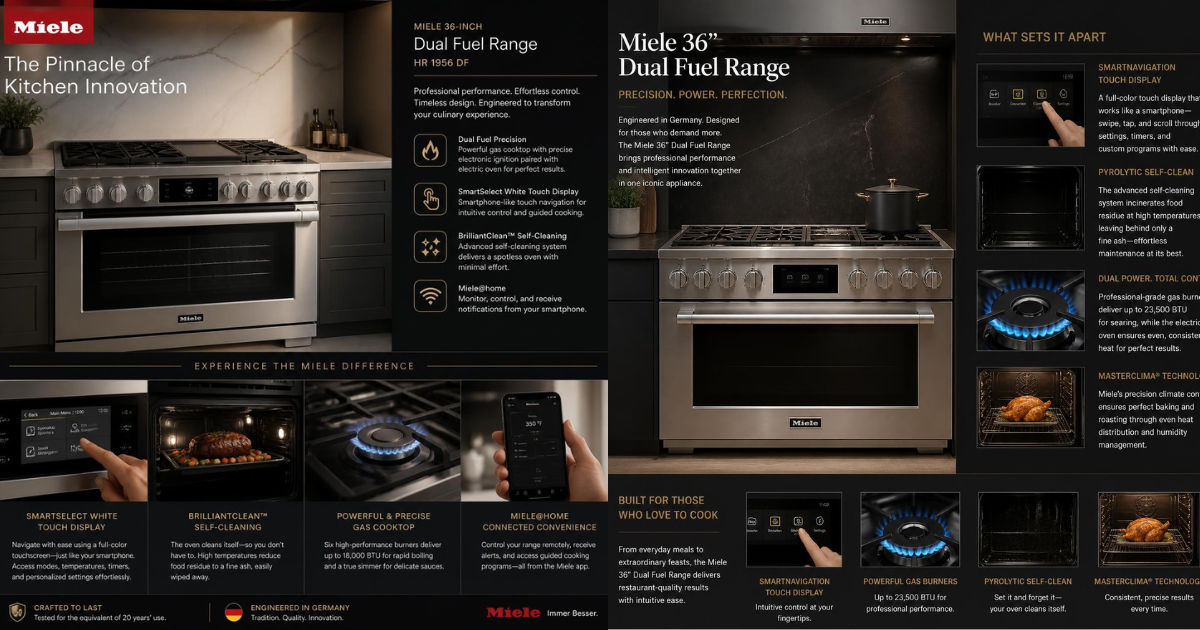
Premium Kitchen Innovation: Deep-dive into specific high-ticket items, like the Miele 36-inch Dual Fuel Range, highlighting unique differentiators like smartphone-like touch navigation or advanced self-cleaning functions.
Shop premium Miele appliances today – https://www.miele.ca/Advanced Floor Care: Feature more accessible options like the Miele Duoflex HX1 Cordless Stick Vacuum, demonstrating lightweight flexibility and continuous suction power for quick daily cleanups.The Durability Standard: Focus on the brand’s core philosophy—such as Miele testing major household appliances for the equivalent of 20 years of use—to justify the investment to your audience.
2. Generating Tracking Links in the Publisher Dashboard
Once your content structure is ready, you need to seamlessly embed your tracking infrastructure. If you are operating as a publisher within the Rakuten Advertising network, you have access to specialized tools designed to create clean user paths:
- Deep Link Generation: Do not just link to an advertiser’s generic homepage. Locate the exact product page on the advertiser’s site (e.g., a specific dishwasher model on Miele.ca), copy the URL, and head to Links > Link Tools in your Rakuten publisher dashboard. Select your advertiser, paste the link, and generate a direct, high-converting deep link. [1, 2]
- Using Link Shorteners: Long affiliate tracking strings can look cluttered and disrupt the aesthetic layout of your pages or social media descriptions. Use clean text link options or route your generated tracking links through a reliable link shortener before sharing them on platforms like YouTube or TikTok.
3. Placing Strategic Widgets and Ads
In corporate design, balance is everything. Use your website layout to guide your reader’s eyes naturally:
- Inline Contextual Links: Bold your product names and embed your deep links directly within your text highlights.
- Visual Sidebars & Banners: Utilize the Find Links section in your dashboard to source approved advertiser logos and creative banners. Place these in designated sidebar widgets or at the close of major instructional sections to provide a clear, visual call to action.